How to Use ChatGPT for WordPress Development

A recent client project reminded me that helping someone build a website starts with understanding what they want. In this case, she wanted to keep WordPress. AI helped me work within that choice and turn her written description into a homepage animation.
Two years of determination
A new customer came to Grassrootech with a WordPress website for her company. She had subscribed to an online web development course and spent two years learning how to build it. The website still was not ready.
I did not blame her. She is an artist by training, and building a website was one of many responsibilities competing for her time. I admired her determination and wanted to help her make progress.
My preferred framework was not her preferred solution
My first instinct was to move the project from WordPress to Next.js. I have been open about my reservations about WordPress. I even wrote an article titled WordPress Market Share Has Plateaued Since 2022 — What Should You Do About It?
But my customer strongly preferred to stay with WordPress. She had already invested time in learning it. A fresh start with my favorite framework was not the solution she wanted.
That left me with a practical question: how could I help her achieve the design she wanted using the platform she had chosen?
Start with the client's own words
She liked the homepage animation she had seen on RH's website and wanted to use it as a visual reference for her own site, reelgood2.com. Before I visited her studio, she had already written a document describing how she wanted her website to look.
That document gave us a useful starting point. I copied and pasted her description into my AI coding session, made a few small adjustments, and used the browser-use capability in my setup to work on the WordPress site.
Here, browser use means giving the AI access to interact with the website through a browser. This workflow depends on having that capability enabled in the tool you are using. For product details, see the official OpenAI feature documentation.
Describe the animation as a sequence
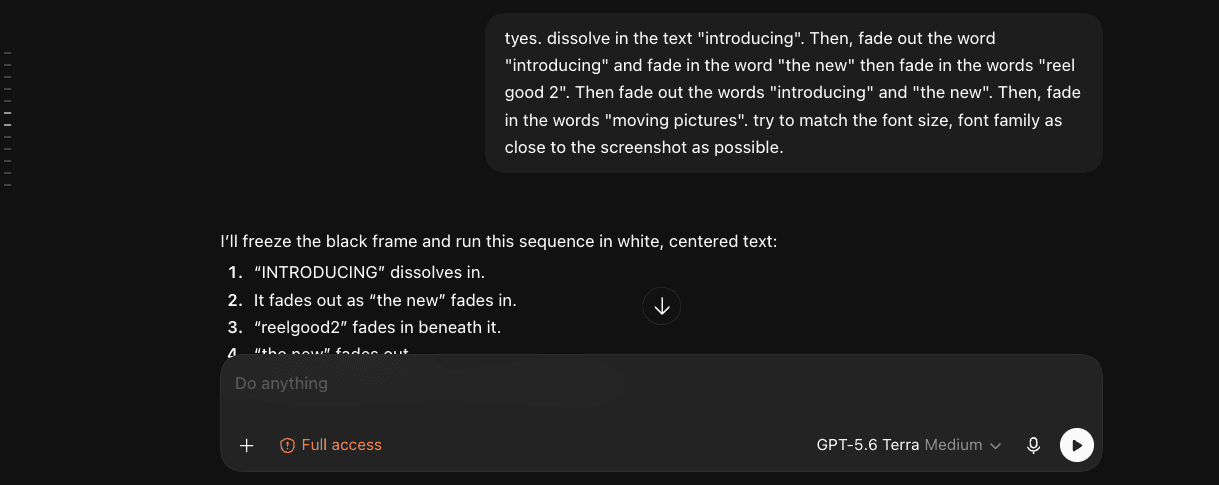
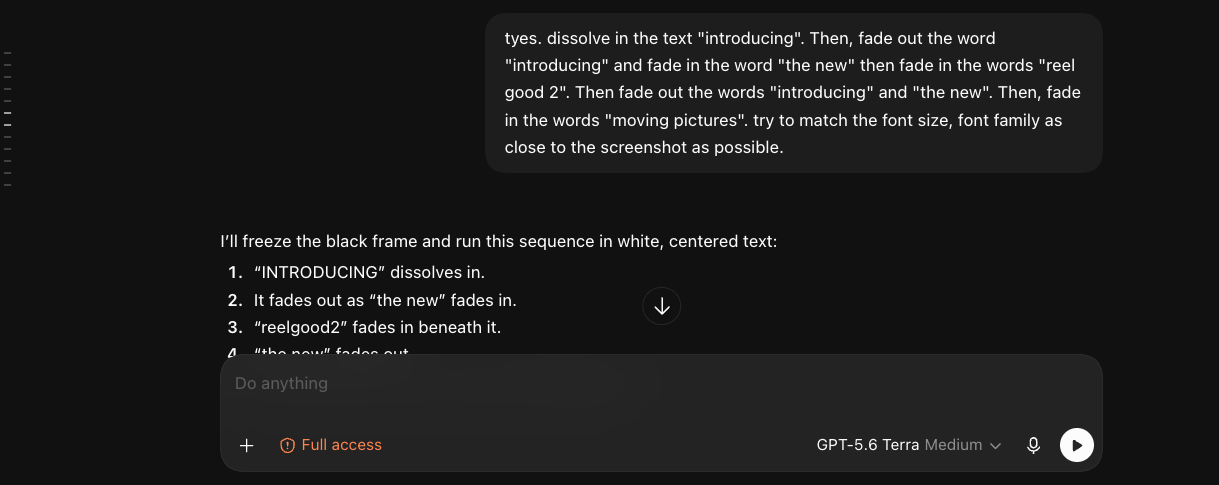
The screenshot below shows one part of our conversation. My instructions described which words should appear, how they should fade in and out, and how closely the typography should match the visual reference.
The sequence included “introducing,” “the new,” “reel good 2,” and “moving pictures.” Those are concrete design instructions: text, order, transitions, and appearance. The AI responded by laying out how it would run the sequence.
With those instructions and a few refinements, the WordPress website had the animation she had wanted for a long time. We still had plenty of work to do on the rest of the site, but she could see how AI coding worked: describe the desired behavior in natural language and work with the AI to implement it.
What I would repeat on the next project
- Begin with a written brief. Ask the client to describe the result they want and provide a visual reference.
- Give the AI a specific task. For an animation, describe the text, timing, transitions, and layout.
- Use a browser-enabled AI session. Give it the context and access needed to work on the relevant WordPress page.
- Review the result together. Compare the actual behavior with the brief and refine it. A working animation is progress; it does not mean the entire website is finished.
I still have my technology preferences. But this experience made me more flexible about how I help clients. If a customer wants to keep WordPress, I can use AI to help with the implementation and spend more of my attention on the result she cares about.

Max Li
Founder, Grassrootech
max@grassrootech.comMax is dedicated to bridging the gap between advanced research and practical industry application. Drawing on his experience at IBM Research and Union University, he leads the development of AI solutions that drive meaningful progress.
Read More
What Should You Do If You Have Used Up Your Quota for OpenAI Codex?
OpenAI Codex is excellent, but quota limits are real. Here is a practical fallback strategy for developers who want to keep building without jumping immediately to a more expensive plan.

Have you heard of OPC: One Person Company?
AI is making a new kind of company imaginable: one person coordinating agents, software, and distribution with the leverage of a much larger team.